
DcmBurner 5.3
ChangelogProfessional DICOM CD/DVD/USB Burner Software
DcmBurner turns a Windows PC into a complete DICOM media station for your clinic or hospital. Search and retrieve patient studies from PACS, burn patient discs with a compatible standard PC CD/DVD writer, or copy studies to USB drives. For unattended production, pair DcmBurner with an Epson Discproducer through Epson TD Bridge to burn and print labeled discs automatically. Every disc includes original-quality images, a DICOMDIR index, a built-in viewer, and optional AES 256-bit encryption. Runs on Windows 7/8/10/11.
Trusted by 500+ Healthcare Facilities Worldwide
500+
Healthcare Clients
50+
Countries
15+
Years Experience
DcmBurner Features
Comprehensive Dicom CD Burner Solutions for Healthcare
Dicom CD Burner
Burn ready-to-share patient CDs and DVDs with a compatible standard PC optical drive—no disc publisher required for on-demand work. For higher volumes, connect an Epson Discproducer for unattended burning and label printing.
Explore CD BurnerDicom CD Publisher
DcmBurner includes automatic disc recording, labelling & refilling capabilities. Record many patient studies into CD/DVD Media using DcmBurner software, print study info at CD/DVD Cover.
Explore PublisherDicom USB Burner
Beyond Dicom CD Burner functionality, DcmBurner burns medical images into USB memory sticks. Distribute patient studies via USB dongles with auto driver detection. DcmBurner handles USB burning seamlessly.
Explore USB BurnerCross-Platform Compatibility
DcmBurner is meticulously crafted to ensure content compatibility across Windows XP, Vista, 7, 8, 8.1, 10, 11, and macOS. DcmBurner creates universally readable Dicom CD Burner media.
More FeaturesNon-DICOM Burner Mode
DcmBurner also supports burning Non-DICOM files such as JPG images and video recordings from Endoscopy, Ophthalmology, Ultrasound, and OT equipment.
More FeaturesEasy-to-Use Interface
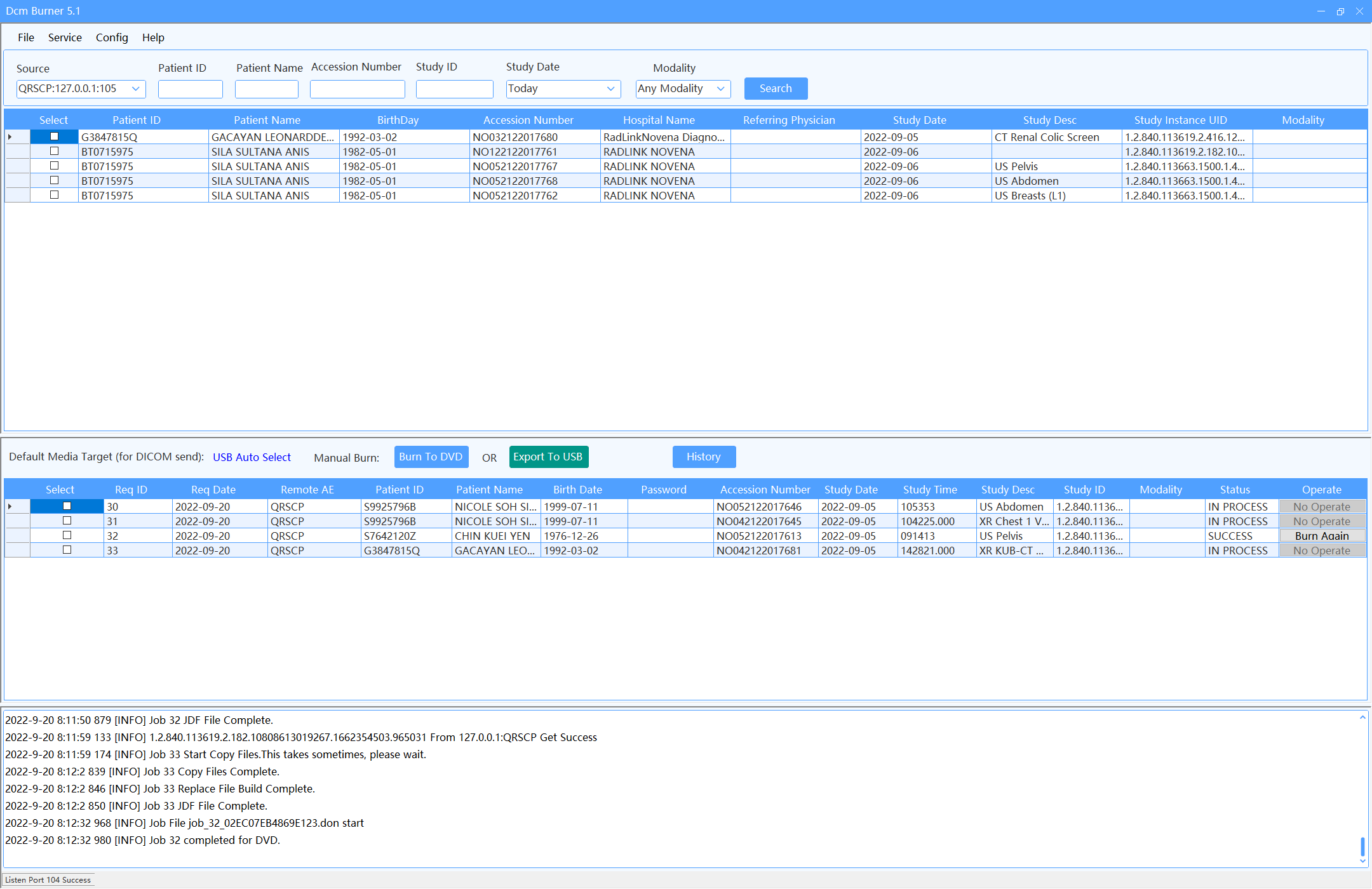
DcmBurner features an intuitive Dicom CD Burner interface. Search patient records and click 'Burn To DVD' or 'Export To USB'. DcmBurner also supports automatic burning by sending DICOM data to AE title.
More FeaturesKey Features of DcmBurner Dicom CD Burner:
User-Friendly Interface
Master DcmBurner in minutes with intuitive design
Custom Labeled Storage
DcmBurner stores images on custom labeled CD/DVD
Wide Compatibility
DcmBurner works seamlessly with Windows 7/10/11
Enhanced Security
DcmBurner features AES 256-bit Encryption
Advanced Query
DcmBurner includes Query/Retrieve functionality
Web Integration
Use DcmBurner directly from your web browser
Automatic Burning
DcmBurner auto-burns studies upon receipt
Built-in MySQL Service
DcmBurner includes integrated MySQL service
DcmBurner FAQ
Everything you need to know about DcmBurner Dicom CD Burner software
DcmBurner is a professional Dicom CD Burner software designed for healthcare facilities. DcmBurner allows medical professionals to burn DICOM images and patient studies to CD, DVD, or USB drives with automatic labeling, DICOM viewer integration, and AES 256-bit encryption for data security.
Yes, DcmBurner integrates seamlessly with most PACS systems. DcmBurner supports standard DICOM protocols including DICOM Query/Retrieve and can receive studies via DICOM C-STORE. DcmBurner works with major PACS vendors.
DcmBurner runs on Windows XP, Vista, 7, 8, 8.1, 10, and 11. The discs created by DcmBurner can be viewed on both Windows and macOS computers, ensuring broad compatibility for patients and referring physicians.
Yes, DcmBurner can include a built-in DICOM viewer on every disc. This Dicom CD Burner feature allows patients and physicians to view medical images without needing additional software installed on their computers.
DcmBurner offers AES 256-bit encryption for all burned media. DcmBurner ensures patient data remains protected and compliant with HIPAA and other healthcare data protection regulations.
Yes, DcmBurner supports burning non-DICOM files including JPG images and video recordings from endoscopy, ophthalmology, ultrasound equipment. This makes DcmBurner a versatile Dicom CD Burner solution for all medical imaging needs.
Yes, DcmBurner supports automatic disc labeling with patient information when used with compatible disc publishers. DcmBurner allows you to customize label templates to include patient name, ID, study date, and facility information.
Yes, DcmBurner offers a free trial version that allows you to evaluate all Dicom CD Burner features before purchasing. Download the DcmBurner trial from our website to test compatibility with your systems and workflow.
DcmBurner Support via Email
Get expert DcmBurner support through email. Our DcmBurner support team is ready to assist you.
DcmBurner support is provided for the lifetime of your license.