
Dicom CD Burner 5.3
Professional Dicom CD Burner Software
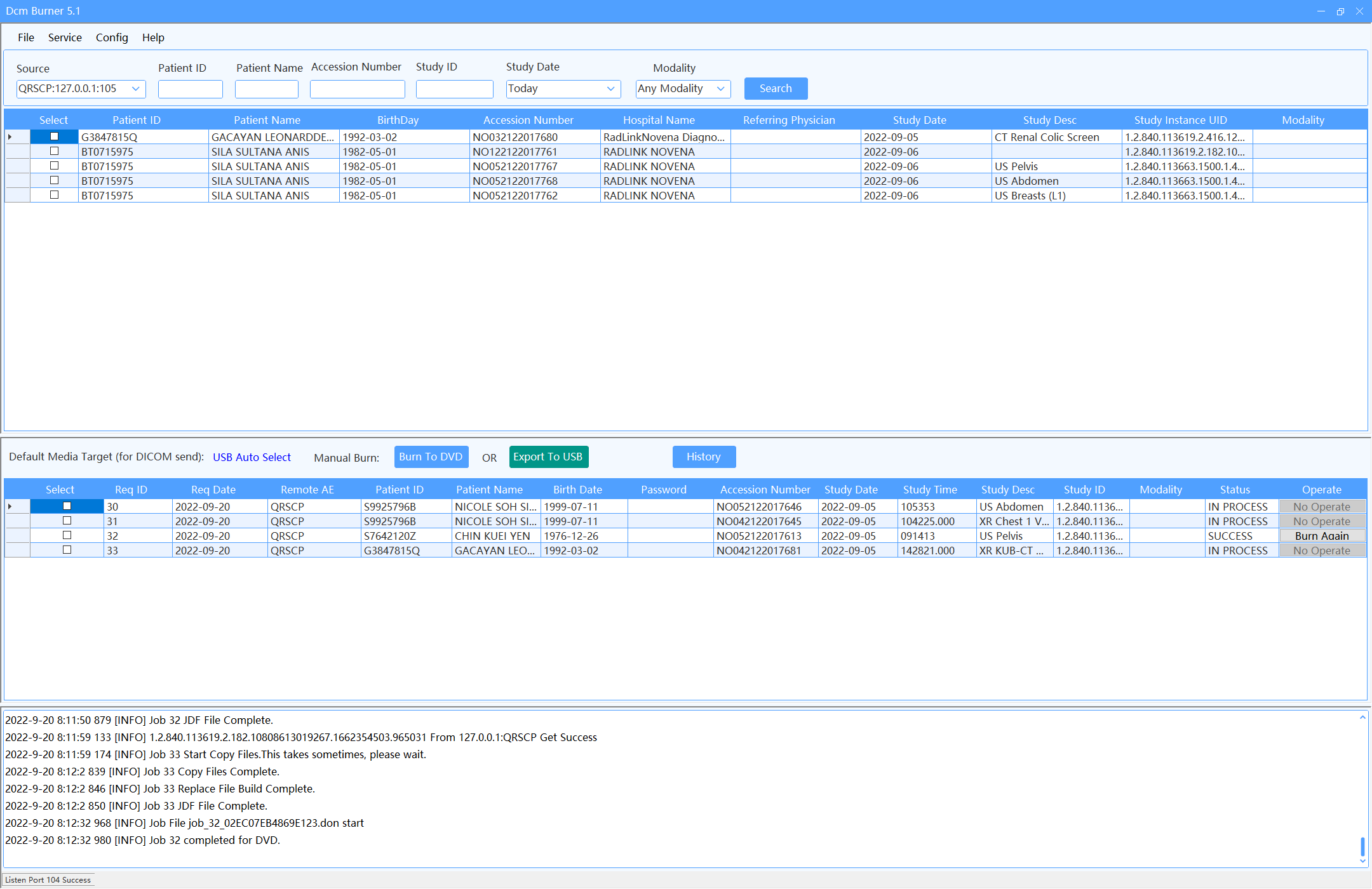
DcmBurner creates secure patient CDs and DVDs directly with a compatible standard PC optical drive. Choose on-demand desktop burning for occasional requests, or connect an Epson Discproducer through TD Bridge for unattended high-volume burning and label printing.
Trusted by 500+ Facilities for Dicom CD Burning
500+
Dicom CD Burner Clients
50+
Countries
15+
Years Experience
Download DcmBurner from its publisher
DcmBurner is a paid Windows desktop application for professional DICOM CD, DVD, and USB workflows. The publisher provides a 15-day evaluation download so healthcare organizations can verify compatibility before purchasing.
- Software
- DcmBurner 5.3 for Windows
- Publisher
- Hangzhou Baoluo Technology Co., Ltd.
- Official download hosts
- dcmburner.com · files.dcmburner.com
Official distribution source
DcmBurner is developed, published, and distributed by Hangzhou Baoluo Technology Co., Ltd. dcmburner.com and files.dcmburner.com are the official online distribution sources for the software.
Trial and paid license
The download is a fully functional 15-day evaluation of paid software. No payment information is required for the trial. Continued use requires a paid US$1,200 perpetual license for one authorized computer.
What installation does
The ZIP download contains the Windows installer. DcmBurner installs application files used for DICOM communication and CD/DVD/USB media creation. Optional disc-publisher hardware requires its own manufacturer drivers and Epson TD Bridge. DcmBurner does not change browser settings or bundle unrelated applications.
How to uninstall
Open Windows Settings → Apps → Installed apps, select DcmBurner, and choose Uninstall. You can also use Control Panel → Programs and Features. Your administrator should separately review or remove DICOM cache, logs, exports, and backups according to your retention policy.
Why Choose Our Dicom CD Burner?
Discover the powerful capabilities of DcmBurner as a Dicom CD Burner
Standard PC CD/DVD Burning
Select a detected compatible PC CD/DVD writer and burn patient studies on demand. DcmBurner prepares the DICOMDIR, viewer, and study content without requiring disc-publisher hardware.
Dicom CD Burner DetailsUniversal Compatibility
This Dicom CD Burner is compatible with all major PACS vendors and modalities, ensuring seamless integration into your existing Dicom CD Burner workflow.
Dicom CD Burner DetailsBuilt-in Viewer
Every disc created by our Dicom CD Burner includes a diagnostic-grade DICOM viewer, allowing recipients to view images immediately.
Dicom CD Burner DetailsSecure Encryption
Protect patient data with AES 256-bit encryption. Our Dicom CD Burner ensures compliance with healthcare regulations.
Dicom CD Burner DetailsCustom Labeling
The Dicom CD Burner facilitates custom label printing with patient demographics when used with a supported disc publisher.
Dicom CD Burner DetailsMulti-Format Support
Beyond standard images, this Dicom CD Burner handles various DICOM formats and non-DICOM files effectively.
Dicom CD Burner DetailsDicom CD Burner Capabilities
Two Burning Workflows
Use a standard PC writer on demand or Epson Discproducer for automation
Quick Burning
High-speed Dicom CD Burner engine
Secure Media
Encrypted Dicom CD Burner output
Web Access
Remote control for Dicom CD Burner
Query & Retrieve
Pull studies to Dicom CD Burner
Auto-Correction
Dicom CD Burner fixes headers
Disc Spanning
Dicom CD Burner handles large studies
Audit Logs
Track every Dicom CD Burner job
Dicom CD Burner FAQ
Common questions about our Dicom CD Burner software
A Dicom CD Burner is software used to record medical images onto optical media. DcmBurner is a premier Dicom CD Burner solution.
Yes, our Dicom CD Burner is fully compatible with Windows 11, 10, 8, and 7.
Yes. For unattended workflows, DcmBurner integrates with Epson Discproducer through TD Bridge. Standard PC CD/DVD writers are supported for on-demand burning; automatic incoming-study queues for PC drives are not supported yet.
Yes, the Dicom CD Burner embeds a viewer on every disc.
Our Dicom CD Burner uses AES 256-bit encryption to secure patient data.
Yes, DcmBurner supports CD, DVD, and Blu-ray media as a comprehensive Dicom CD Burner.
We offer flexible licensing options for our Dicom CD Burner software.
Yes, download our free trial to test the Dicom CD Burner capabilities.